
Find the best-fit eSIM for Malawi. Simple filters, clear comparisons, faster decisions.
1GB / 7 Days
5GB / 30Days
Unlimited / 15 Days
Scroll down to view all results. If you see a ‘from/for’ price, don’t forget to use our discount code at checkout – that way, you’ll never pay more han you need to.
An eSIM is a digital SIM that enables mobile data without inserting a physical SIM card. A best Malawi eSIM is popular with travelers who want quick activation and easy plan changes. We compare plans by data size, validity, and price. Final details are provided by the seller, and you’ll be redirected to their website when you choose Get eSIM.
An eSIM, or embedded SIM, is built directly into your device and replaces a traditional SIM card. Once you buy a plan, a digital profile is sent to your device and activated securely. This gives instant access to the network. You can store several eSIM profiles on one device and switch between them digitally, which is helpful for travel or separating work and personal use.
Coverage depends on the area you are in.
Speed may be limited after a certain amount of data use.
Your phone must support eSIM and be unlocked.
Hotspot access depends on the plan.
Refund availability depends on provider policy and activation.
5G access depends on network coverage and plan support.
Activation timing: Some Plans may activate at purchase, installation, or first connection.
Available choices may include 3GB+, 10GB+, 20GB+, or Unlimited.
Common durations include 1 week, 2 weeks, or 1 month or longer.
Compare price with validity to judge overall value.
Click Get eSIM to review final coverage and policy details.
Apply any available discount code during checkout.
Choosing the right amount of mobile data for Malawi depends on your travel style, trip length, and how you plan to use the internet while abroad. Your data needs can vary significantly ranging from basic navigation and messaging to social media, work tasks, and streaming. The sections below will help you understand which option best fits your usage while traveling in Malawi.
1–3 GB
Best for: maps, messaging, light browsing.
Typical activities include route checks, chat messages, and quick searches.
3–7 GB per week
Best for: frequent navigation, social media, some video.
Typical activities include Instagram, TikTok scrolling, and short video calls.
7–15+ GB per week
Best for: work travel, hotspot use, long trips.
Typical activities include Zoom/Meet calls, hotspot tethering, and cloud uploads.
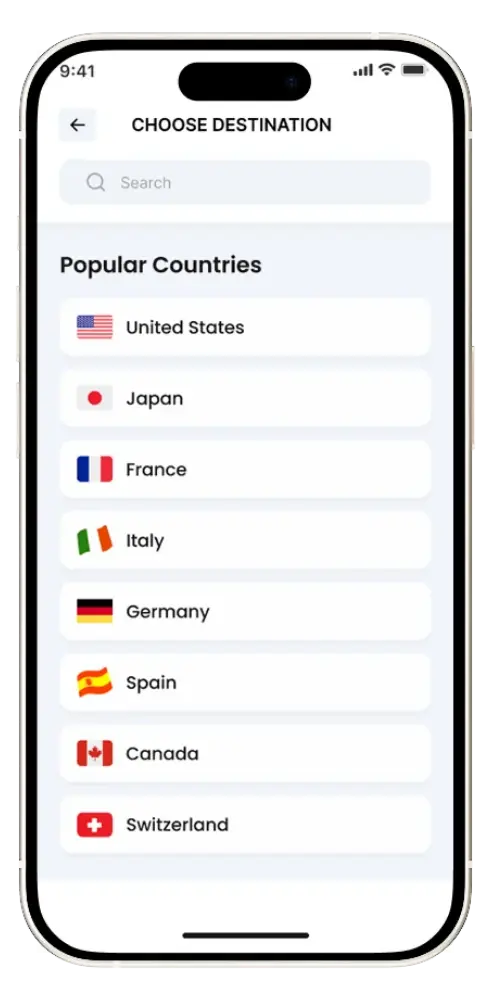
Select your travel destination and browse available eSIM plans from multiple providers.
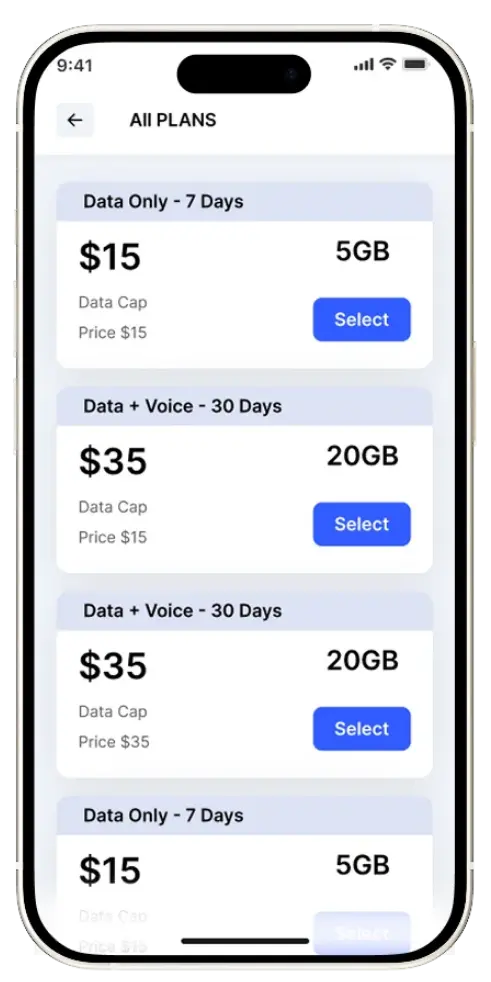
Compare data allowance (GB or unlimited), price, and validity (days) to choose the plan that best matches your trip duration and expected usage.
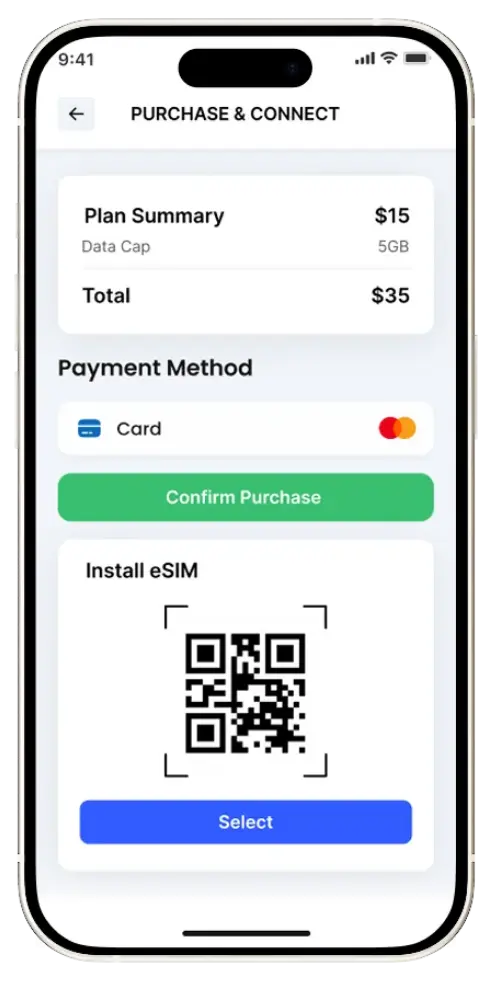
Click Get eSIM to complete checkout, install the eSIM via QR code, set it as your Mobile Data line, and enable Data Roaming if instructed by the provider.
Go to the Malawi eSIM page and browse the plans available.
Use the filters to choose by:
Pick a plan based on your usage (Light / Medium / Heavy).
Buy the eSIM and complete the 3-step setup:
If shown, apply the promo/discount code on the plan before checkout.
Enable the eSIM for mobile data:
Use data for maps, messaging, browsing, and apps while you travel.
If you need help, use the page’s FAQs/support section for troubleshooting basics (compatibility, activation, roaming, etc.).
Yes, eSIM works in Malawi as long as:
The best eSIM for Malawi depends on your trip length + data needs:
If you’re visiting multiple countries, choose a regional plan that includes Malawi.
Shortlist common global eSIM companies:
Final pick checklist:
eSIM plans can start as low as $1 (typically small data + short validity).
Pricing varies mainly by:
On the Malawi eSIM page, check the price highlights:
Tip: Compare plans by value per GB (or choose Unlimited if you’ll hotspot/stream a lot).
For iPhone Users
For Android Users
eSIM support depends on local carriers in Malawi and whether they offer eSIM for tourists/prepaid.
The easiest option is usually a travel eSIM provider that connects to local partner networks (no direct carrier signup needed).
If you want a carrier eSIM specifically:
You’ll likely need an eSIM for Malawi if you want:
You might not need it if:
Best option if you want reliable connectivity: get a Malawi local or regional eSIM plan before you travel.
eSIMs don’t “take” your number; they act as a separate line. You can use Dual SIM mode to keep your home number active for calls/texts while using the eSIM strictly for cheaper travel data. To avoid fees, enable WiFi Calling and disable data roaming on your primary SIM before leaving. Some travel eSIMs offer local numbers, but most are data-only for apps like WhatsApp.
Yes, many modern smartphones support dual SIM functionality, allowing you to use a physical SIM and an eSIM at the same time, with only two SIMs active at once. iPhone 13 and newer models can run two eSIMs simultaneously, while older models support one physical SIM plus one eSIM. You can manage which SIM is used for calls, messages, and data directly in your phone’s settings.