

Compare eSIM Plans by Regions
Browse Regions and compare eSIM plans from trusted providers worldwide.
How do I activate my eSIM?
Activation takes a few minutes on home WiFi before departure: purchase the plan, scan the QR code or install through the provider app, and leave it ready until you land at the airport, then switch on data roaming.

Buy A Plan online
Pick a plan, pay, get a QR code by email within ~60 seconds.

Open Settings
iPhone: Settings → Cellular. Android: Network → SIMs → Add eSIM.
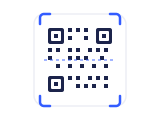
Scan QR code
Point your phone at the QR on a second screen, or paste the activation code.
Label the profile
Name it “eSIM” so it’s obvious in your line picker.
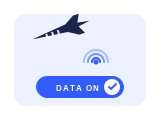
Switch on at gate
Toggle the eSIM line on as you land. Data works on the jet bridge.
How much data do I need?
Most travelers on a short trip are comfortable with 2 to 5 GB, depending on how much navigation, streaming, and social sharing they plan to do. Use the calculator below to match a plan to your actual usage.
Activity | Avg rate | Intensity | 7–14 day total |
|---|---|---|---|
Google Maps + navigation | 50 MB/hr | ~3 GB 5 hr/day × 7 days | |
Instagram, TikTok, social | 700 MB/hr | ~10 GB 1 hr/day × 14 days | |
YouTube / Netflix (480p) | 550 MB/hr | ~8 GB 1 hr/day × 14 days | |
Work calls + email | 200 MB/hr | ~4 GB 2 hr/day × 10 days | |
iMessage, WhatsApp, light | 10 MB/hr | <1 GB Background use |
Rule of thumb: 3 GB for a 1-week sightseeing trip, 10 GB for two weeks with social media + streaming, unlimited for any trip with daily Zoom calls or remote work.