Compare eSIM Plans by Destination

Browse countries and compare eSIM plans from trusted providers worldwide.

Connect Anywhere: Global eSIM Coverage for 200+ Destinations

The Modern Way to Stay Connected

An eSIM is a digital evolution of the traditional SIM card that allows you to activate a cellular plan instantly by simply scanning a QR code. Instead of worrying about physical chips or swapping cards at the airport, you can download a data profile directly to your compatible device. eSIM offers a great alternative for travelers looking to get connected on the go. It enables you to install plans in minutes, keep your primary number active for calls, and eliminating the risk of losing your physical sim card.

Coverage Across 200+ Destinations

Whether you are backpacking through Southeast Asia, doing business in Europe, or relaxing in the Caribbean, eSIM Intel connects you to the best local networks worldwide. Our directory lists reliable, high-speed data plans for over 200 countries and regions. You can browse the destinations listed on this page or you can secure your connection before your flight even takes off. We ensure you have internet access the moment you land without searching for a local kiosk.

Compare, Save, and Connect

Avoid the hassle of expensive roaming charges from your home carrier by switching to a local digital plan. We have organized our directory to help you compare transparent pricing, data allowances, and validity periods side-by-side. Simply select your destination from the regions above to find a plan that fits your itinerary, purchase securely, and enjoy seamless connectivity at local rates.

How do you install and activate an eSIM in 3 steps?

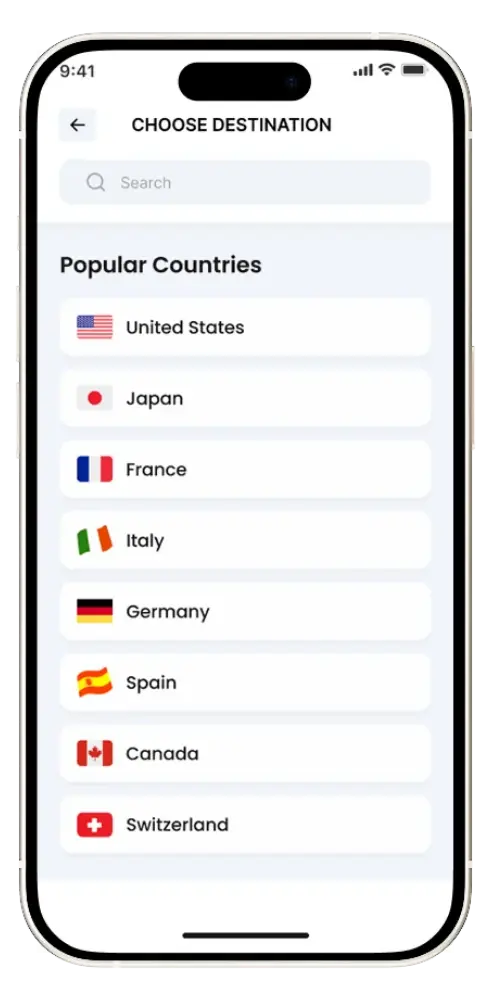
Choose Your Destination

Select your travel destination and browse available eSIM plans from multiple providers. 

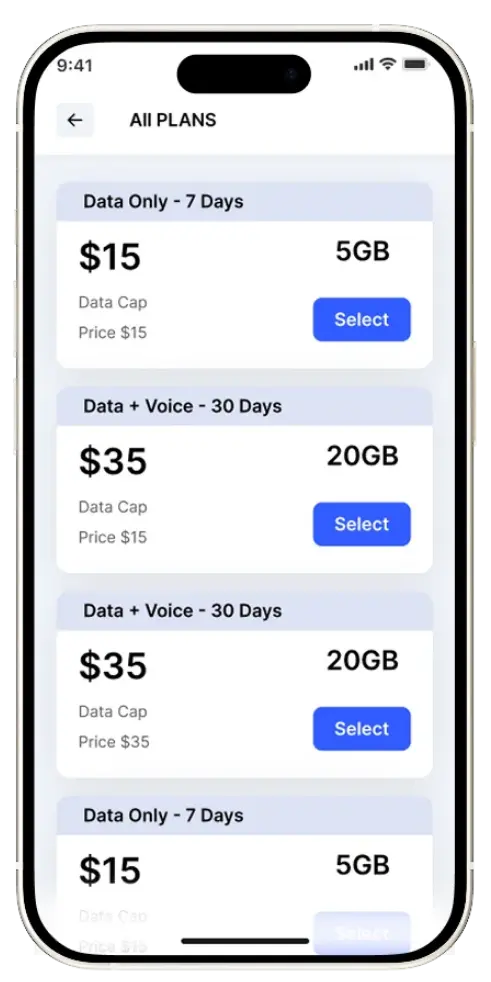
Compare and Select the Right Plan

Compare data allowance (GB or unlimited), price, and validity (days) to choose the plan that best matches your trip duration and expected usage.

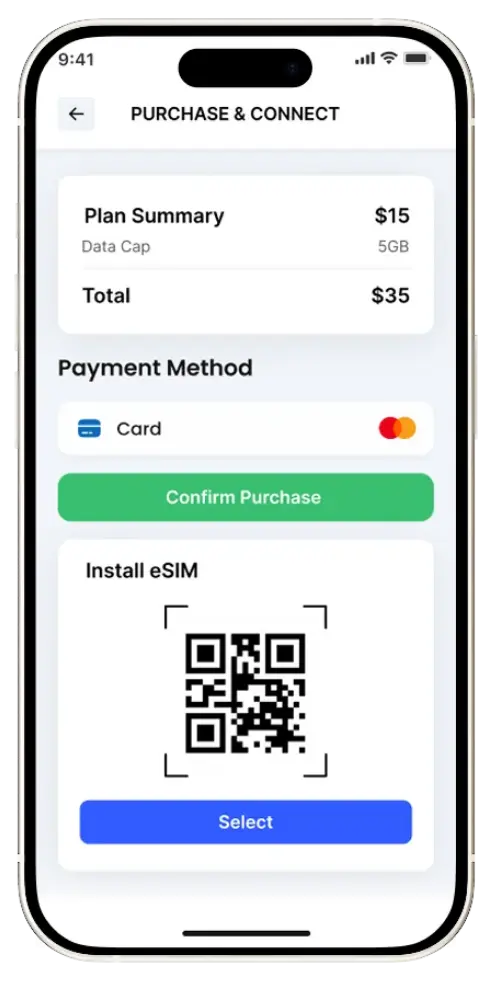
Purchase and Connect

Click Get eSIM to complete checkout, install the eSIM via QR code, set it as your Mobile Data line, and enable Data Roaming if instructed by the provider.

FAQs

An eSIM is used because it eliminates the need for physical SIM cards, allows instant activation by scanning a QR code, supports multiple profiles for travel or dual usage, saves internal device space which is valuable in wearables and IoT, and offers improved security since it cannot be easily removed or lost.

eSIM offers faster activation, remote carrier switching, and support for multiple profiles on one device. It frees up physical space in compact devices and improves security by removing the risk of SIM theft or loss. eSIM is ideal for travel. It lets you activate local or regional data plans instantly without buying a physical SIM. You can switch carriers remotely, avoid roaming charges, and keep your primary number active.

You don’t usually need to turn off your primary SIM when using an eSIM; it depends on how you’re using it. For travel, many people keep the primary SIM active for calls and texts but turn off data roaming, while using the eSIM for data to avoid charges. If you’re switching carriers, you can remove the old SIM after confirming the new eSIM works. Just be cautious with roaming settings to prevent unexpected fees.



No, eSIMs do not drain the battery faster. Power consumption is the same as physical SIMs because both use the same cellular modem. Battery life depends more on network conditions and device usage.

The cost of an eSIM varies by provider, country, and data plan. Some carriers offer it for free, while others may charge a one-time activation fee or sell prepaid data packages starting from a few dollars. You can view plans and pricing for any country on Esim Intel.

It depends on your needs. An eSIM is more convenient, especially for frequent travelers or those who use dual SIMs. A local SIM may offer cheaper rates in some countries, but requires a physical card and may not support multiple profiles. eSIM is better for flexibility, while a local SIM is better for the lowest possible cost in some regions.


For iPhone Users

  • Check iOS Version: eSIM compatibility started with iPhone XS, XS Max, and XR models in 2018. If you have a newer model, it likely supports eSIM.
  • Settings Check:
    • Go to Settings > General > About.
    • Scroll down to the Carrier Lock section. If your device is unlocked, it will show “No SIM restrictions.”
    • Scroll down to Available SIM (iOS 15 or later) or Digital SIM (earlier iOS versions). If your phone supports eSIMs, it will display a 15-digit IMEI number. 

For Android Users

  • Manufacturer or Carrier Check: Compatibility can vary by model, manufacturer, and carrier. It’s best to consult the manufacturer, reseller, or network provider for specific compatibility information. “Many of the latest Android phones support eSIM technology, but it can vary based on the model, manufacturer, and carrier.
    • Google Pixel Check:
      • Go to Settings > Network & Internet > eSIM Cards.
      • If the “Download a SIM instead?” option is available, your device supports eSIM. 
  • General Android Check:
    • Dial *#06# on your phone. If you see an EID number along with the IMEI, your device supports eSIM. If there’s no EID, it doesn’t. 

Most major carriers worldwide (including AT&T, T-Mobile, Verizon, Vodafone, and Rogers) and many prepaid brands like Mint Mobile and Google Fi support eSIM. Additionally, specialized providers like Airalo and Holafly offer data-only eSIMs specifically for international travel. Support can vary by specific plan (prepaid vs. postpaid), so check your carrier’s mobile app or website to confirm.

eSIMs don’t “take” your number; they act as a separate line. You can use Dual SIM mode to keep your home number active for calls/texts while using the eSIM strictly for cheaper travel data. To avoid fees, enable WiFi Calling and disable data roaming on your primary SIM before leaving. Some travel eSIMs offer local numbers, but most are data-only for apps like WhatsApp.

Yes, many modern smartphones support dual SIM functionality, allowing you to use a physical SIM and an eSIM at the same time, with only two SIMs active at once. iPhone 13 and newer models can run two eSIMs simultaneously, while older models support one physical SIM plus one eSIM. This setup is useful for travel or separating work and personal numbers. You can easily manage which SIM is used for calls, messages, and data directly from your phone’s settings.

Yes, you can convert a physical SIM to an eSIM if your device and carrier support it. The process usually involves checking eSIM compatibility, then converting via a carrier store, customer support, or an online app or website. Your existing plan and data typically remain unchanged, though SMS may be unavailable for up to 24 hours during the switch. Be sure to keep any QR code provided and back up your data before converting.

Yes, you can switch back from an eSIM to a physical SIM, but it usually requires help from your carrier. In most cases, your old physical SIM is deactivated, so you’ll need to request a new one from a store or customer support. The carrier will reassign your number to the new physical SIM. Before switching, make sure your device supports it and back up your data if you’re changing phones.